
Who is behind this. Pro Skill Packs is a small independent publisher of ready-made skills and fill-in kits. Every one is run on real examples before release.
- How we test
- 30-day refund, no questions about why
- Contact page, or write to kaiventura.founder@gmail.com
Two or three things you wrote and a draft.
The draft edited to sound like you, a list of what changed, and flags on claims it cannot support.
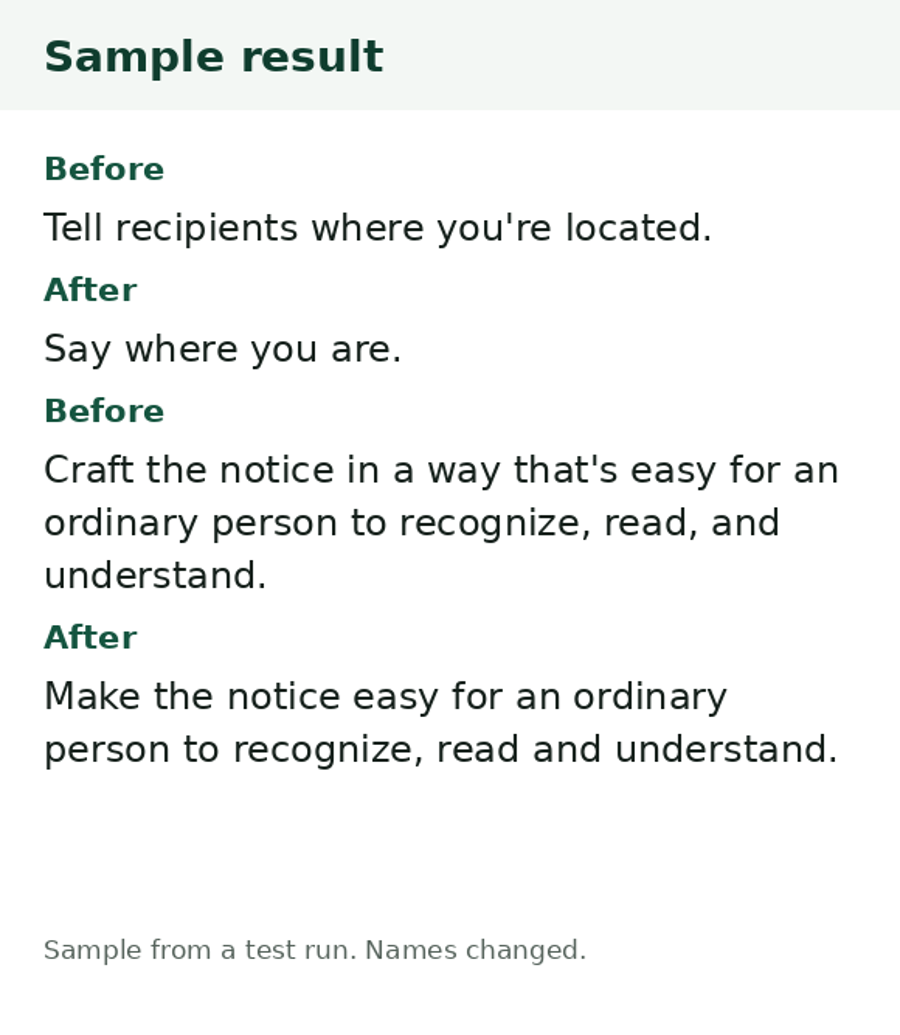
Before and after
Taken from the skill's README.
Before: Draft opening: "In today's fast-paced world, it's important to note that customer onboarding is a game-changer for retention."
After (skill output, from a real test run): Test run, with essay excerpts by a public writer as the samples and a draft we wrote. Opening after the edit: "Onboarding matters more for retention than it might seem." The run removed the stock phrases, kept the "12 support specialists" and "3 days" facts untouched, flagged "Studies show..." as unsourced, and asked what "3 days on average" measures. It also noticed the samples were not the requester's own and said so.
What it does
Give it two or three samples of your own writing (about 300 words or more) and a draft. It writes a short voice profile with a quoted fragment backing each point, edits the draft to match, and lists what it changed. Facts, numbers and claims stay exactly as written, and weak claims are flagged, not fixed with invented support.
How it was tested
What you can check yourself. The sample result on this page, the list of what is in the file, and the 30-day refund. There are no ratings yet, because nobody has reviewed it yet.
How we tested it.
1 real-data run on public essay samples and a sample draft (Claude Sonnet). The first run overwrote a file in the test folder, so the skill now says never to modify files.
Tested on a real example before release. The example is shown in the Before and after section above.
How we test, what we do not do, and which assistants we ran it on.
Limits
- Voice quality depends on your samples. Under about 200 words, the read will be rough.
- It does not add facts, examples or sources. Thin paragraphs stay thin and are flagged.
- It does not promise to pass AI detectors. Those tools are unreliable and we do not claim it.
- It edits text you give it. It will not fix an argument that does not hold up.
Works with
Works in ChatGPT or any chatbot: you paste in your details and it writes the result.
Where to start
- Try the free one first. Fact-Claim Checker: Paste a draft before you publish. Get the claims that need a source, ranked by risk, what would settle each, and safer wording for the ones you cannot back up.
What is in the download
Read from the real file.
LICENSE.txtREADME.mdSKILL.mdprompt.mdvoice-matched-draft-editor-prompt-card.pdf
Get it
- You get: a zip file (double-click it to open it).
- Checkout: Gumroad opens on this page. Click Add to cart, enter your email and card details, and check the total, with any VAT, before you pay. Prices here are in US dollars.
- After you pay: a download page opens right away with the zip file, and Gumroad gives you a receipt there that you can resend. Open it and follow the README.
One-time payment. Updates to this version are free. Questions or a refund: reply to your receipt within 30 days, or write to kaiventura.founder@gmail.com.
Using it with an AI assistant
- Unzip the download. It holds the
voice-matched-draft-editorfolder, a README and the licence. - Put the
voice-matched-draft-editorfolder where your assistant looks for skills. The generic path is.agents/skills/(ornpx skills addfrom a folder). Tool-specific paths:- Claude Code:
~/.claude/skills/(or.claude/skills/inside one project) - OpenAI Codex, Gemini CLI, Cursor and others:
.agents/skills/or the skills folder their docs name - claude.ai: zip the skill folder yourself, then Customize, Skills, the plus button, Create skill, Upload a skill (code execution must be on in Settings, Capabilities)
- ChatGPT or any chatbot: open the skill's
prompt.md, paste it into the chat, then paste your own text or link - Steps for each tool, with links to its official docs: how to install Agent Skills
- Claude Code:
- Ask for the job in plain words, for example: "Here are 3 things I wrote and a draft. Edit the draft so it sounds like me.". The skill loads by itself.
Related
- Free guide to do it by hand: How do I edit a draft so it sounds like I wrote it?
- Fact-Claim Checker (Free): Paste a draft before you publish. Get the claims that need a source, ranked by risk, what would settle each, and safer wording for the ones you cannot back up.
- More for people who write for a living: Content and writing
Report a problem with this skill (GitHub, or write to kaiventura.founder@gmail.com).